
Schedule Reports
Emailing daily, weekly, or monthly scheduled reports can be done in the Reports section in Atrilyx.
To start, you will want to first create a custom report.
Before saving the custom report, please make sure to select one the date present so that the report will pull the requested data.
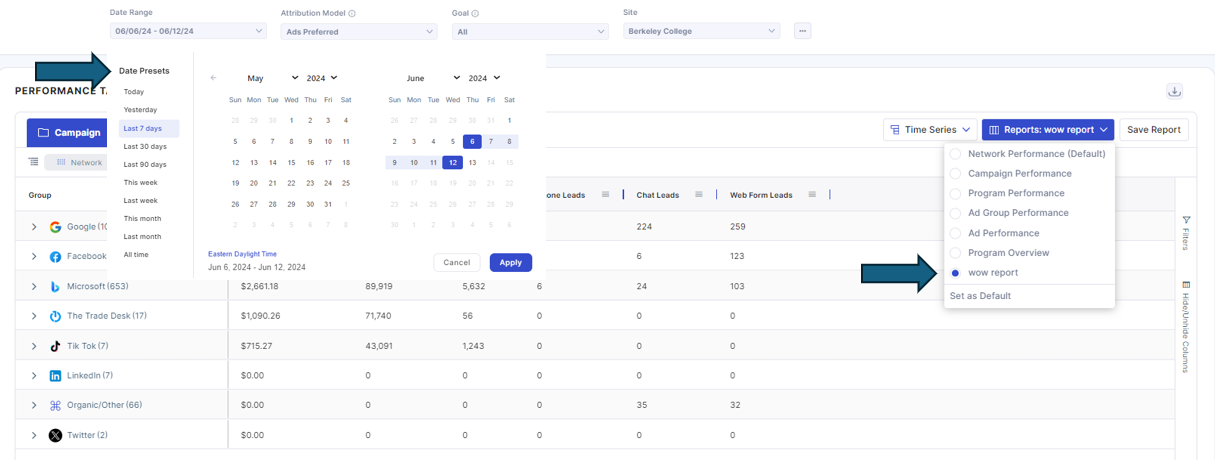
To schedule the custom report, you will want to select the reports tab on the atrilyx navigation side panel. Click on the three buttons under the actions column within the respective report name you want to schedule and select schedule.
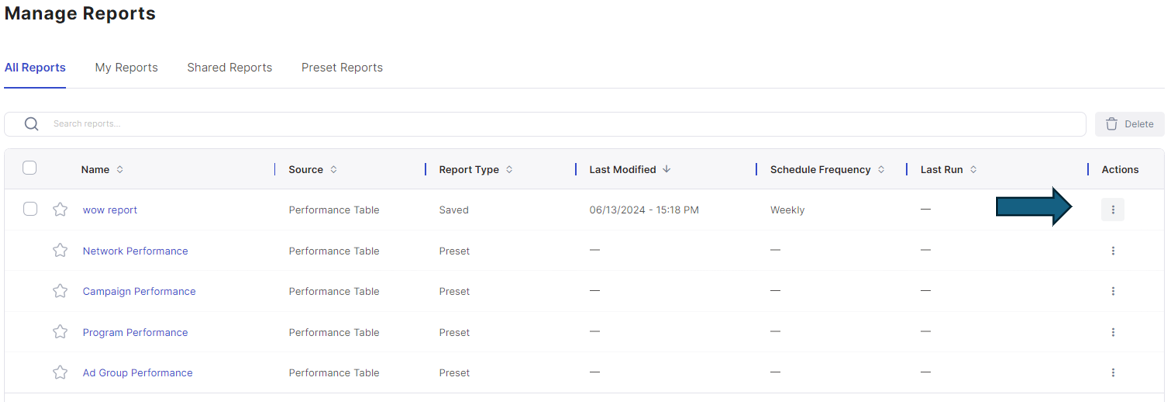
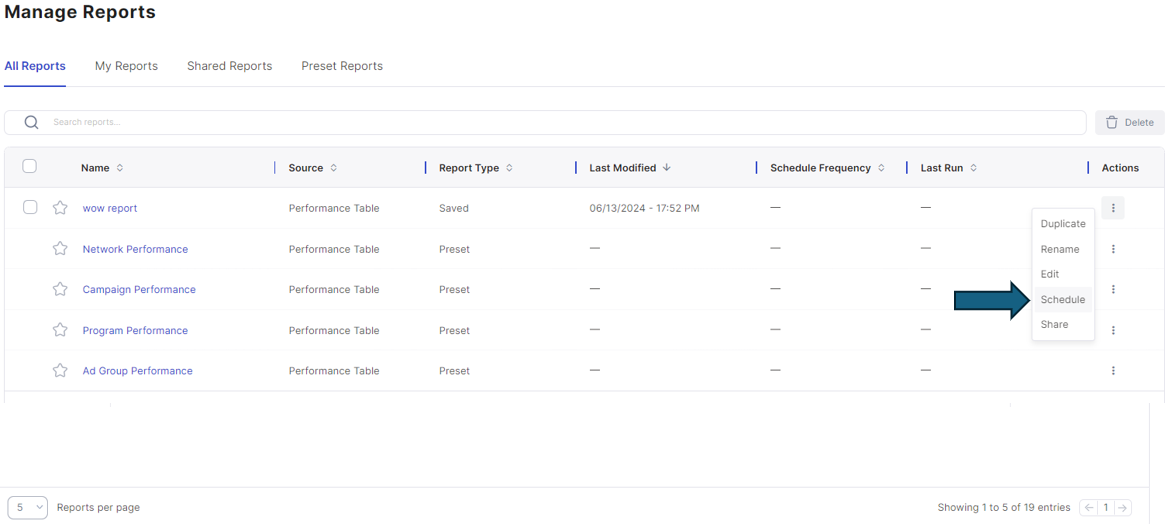
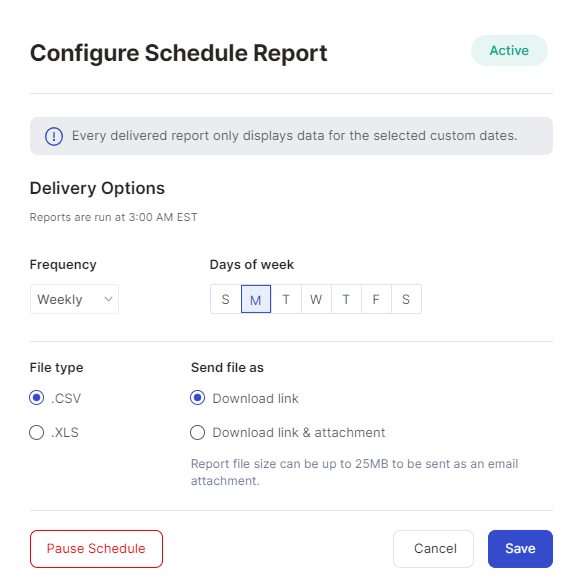
Select the frequency, day of week, file type, and save the schedule. The report will be emailed to you at 3:00am EST. Reports can be paused or unscheduled using the same action button.
Once scheduled, the report will be delivered to your email from no-reply@atrilyx.com.
Video Recording